NEMS Merchant
Ecosystem
TL;DR
Designed five payment surfaces for RYVYL's U.S. market launch from scratch: Merchant Portal, mPOS Card Reader, Customer App, Customer Checkout, and Backoffice Admin Portal.
Role: UX Designer. Primary designer across all five surfaces, working with a VP of Product Development, Director of Design, and PM. No payment products existed in this line before this project.
Problem: Five surfaces, different users and constraints, one shared infrastructure. Terminal configuration on the merchant side determined what customers saw at checkout; customer card setup determined which payment methods the terminal could accept.
Solution: Designed all five surfaces in parallel with explicit cross-surface dependency tracking. Added location-level segmentation after merchant interviews revealed that multi-site operators tracked performance by location, not payment type. Tied post-checkout receipts to the Customer App feed so they appeared in context.
Impact: Shipped as an internal pilot across all five surfaces. Cross-surface dependency mapping caught conflicts before they caused rework. Five distinct user experiences, one shared visual language.
Overview
NEMS Pay was RYVYL's U.S. payment suite, covering both sides of every transaction: tools for merchants and experiences for their customers.
Merchant Portal, mPOS Card Reader, Customer App, Customer Checkout, and Backoffice Admin Portal were built to work as a connected ecosystem. A merchant signed up, configured their account, and took payments. Customers managed accounts, checked balances, and paid through checkout flows on the same infrastructure.
I owned design across all five surfaces, working with the VP of Product Development, Director of Design, and PM. Nothing in the NEMS Pay line existed before this project.
Challenge
Five surfaces, two sides of every transaction, one design team. Merchant decisions constrained customer options; customer setup constrained what merchants could accept. The challenge wasn't designing five products. It was designing them as a system where choices on one surface had consequences on the others.
Product Areas
Each surface served a different user: the merchant managing their business, the operator running a terminal, the customer tracking their account, the customer paying at checkout, and the admin managing the back-end. The goal was five distinct experiences with a shared visual language and no overlapping complexity.
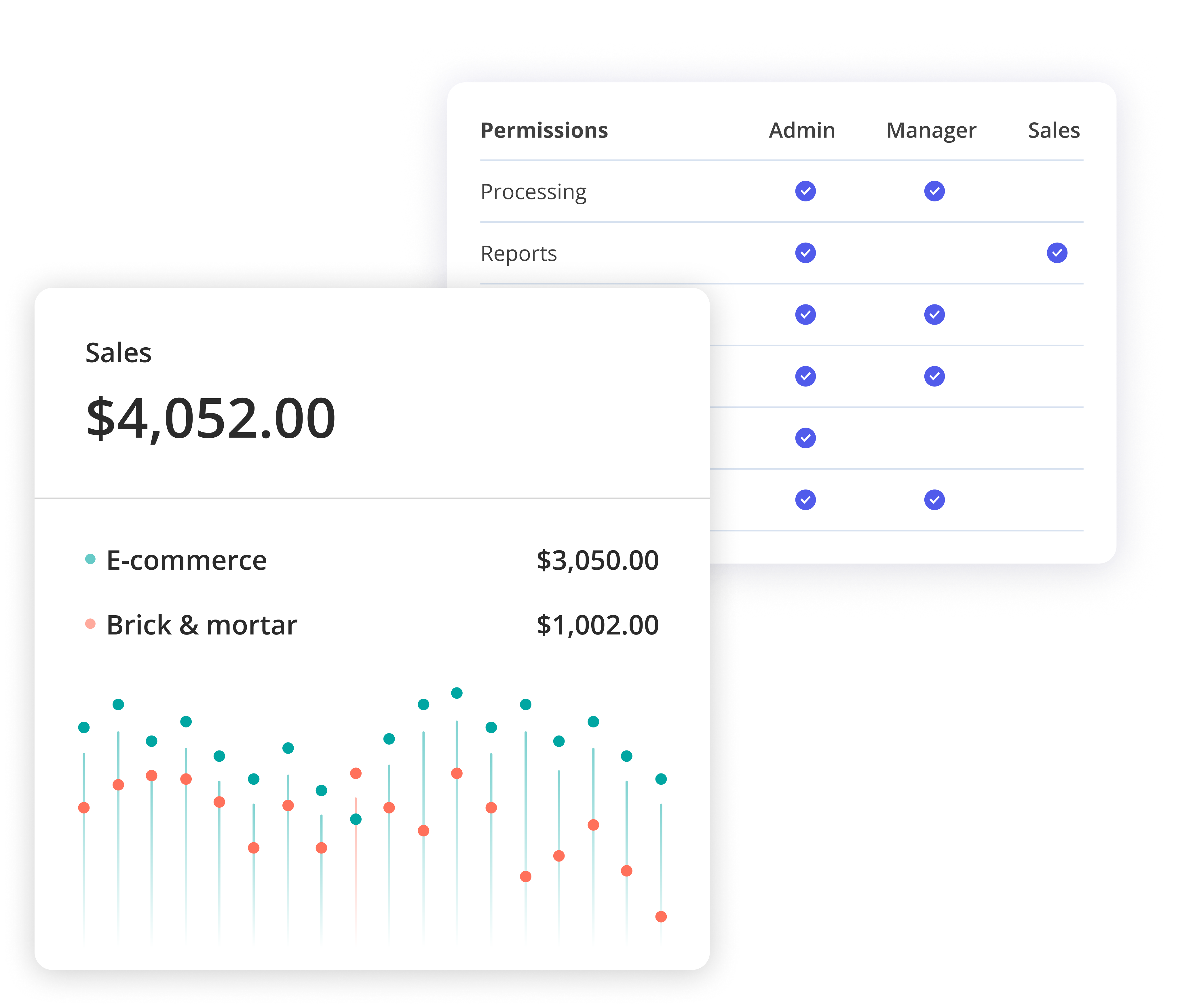
The web dashboard for business owners. Merchants managed payouts, disputes, team access, and hardware from one place.
The design problem was scale. A single-location café needed different primary surfaces than a multi-terminal retail chain. I built an account model that stays flat for small merchants and expands to location-level segmentation for larger ones: same navigation, different depth.
- Transaction batch reporting: KPIs, real-time and historical views, filters, and export
- Payout management: scheduled and manual payouts, bank account linking, and payout history
- Dispute center: status-tracked workflow with inline evidence upload and resolution timeline
- Account & team management: role-based access, staff accounts, and permission controls
- Point-of-sale management: terminal configuration, status monitoring, and employee assignment
Key decision: Location-level segmentation was added late after merchant interviews revealed that multi-site operators tracked performance by location, not payment type. A flat model would have pushed that filtering onto them.
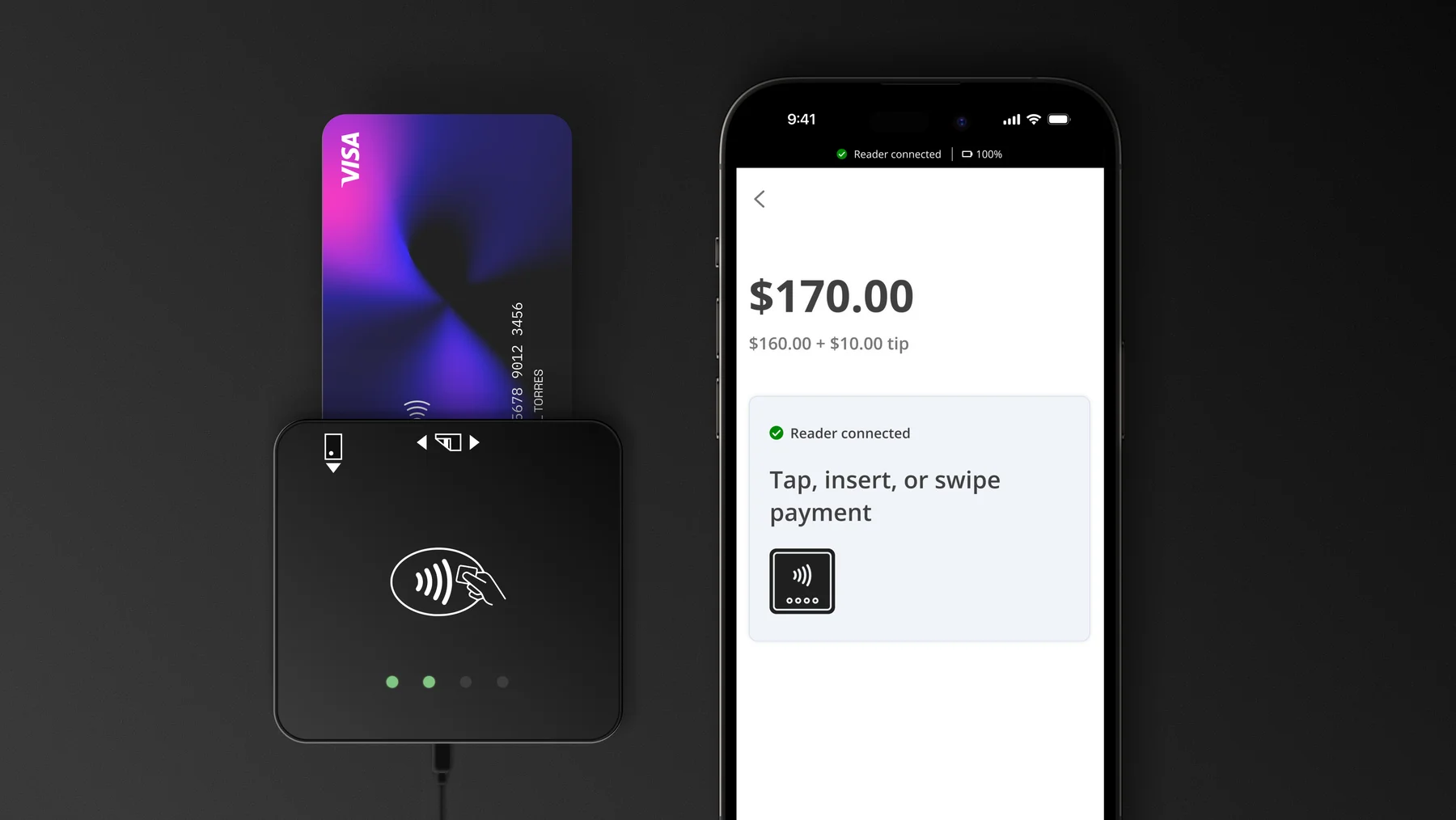
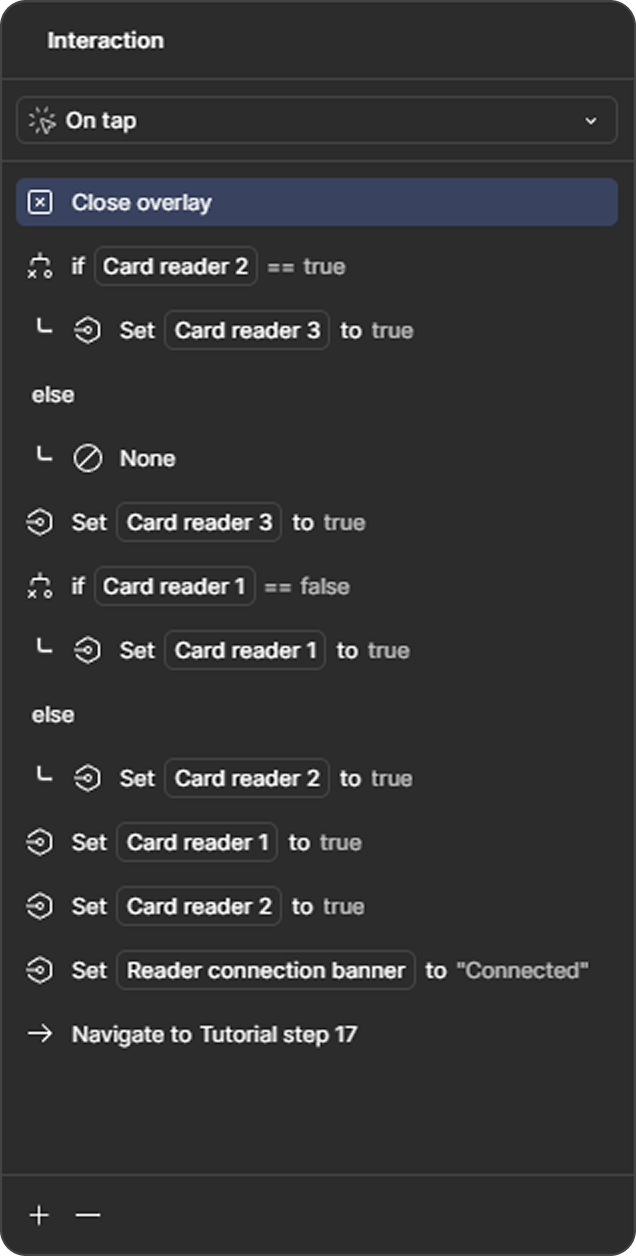
The mobile app for RYVYL's card reader hardware. Staff ran charges and paired terminals from a phone.
Speed was the constraint. Staff at a busy counter can't navigate menus between customers. The app opened directly to the charge entry screen, not a dashboard. Every common action was two taps.
- Charge flow: keypad-first entry, split payment support, tip configuration, and printed or digital receipt delivery
- Terminal pairing: guided Bluetooth setup with connection status and automatic reconnection
- Refunds & voids: same-session void and post-authorization refund flows with audit logging
The consumer mobile app for NEMS account holders. Customers checked balances, sent transfers, and set up tokenized payments for contactless checkout.
- Account overview: pending transactions and real-time holds in a single view
- Transfers: send to contacts and scheduled payments with status tracking
- QR payments: scan or display a QR code to send and receive funds instantly
- Tokenized payments: device-level payment token setup for contactless checkout
- Notifications & alerts: real-time transaction alerts, low balance warnings, and fraud flags with inline action
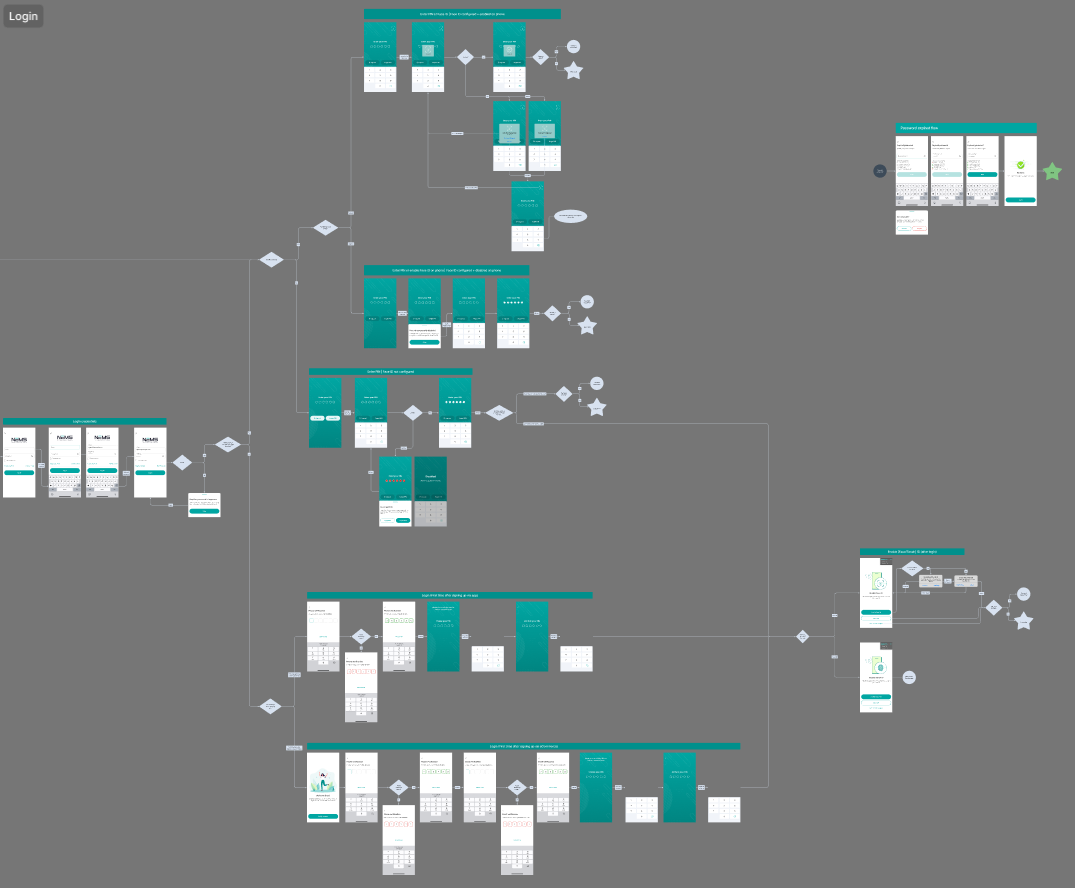
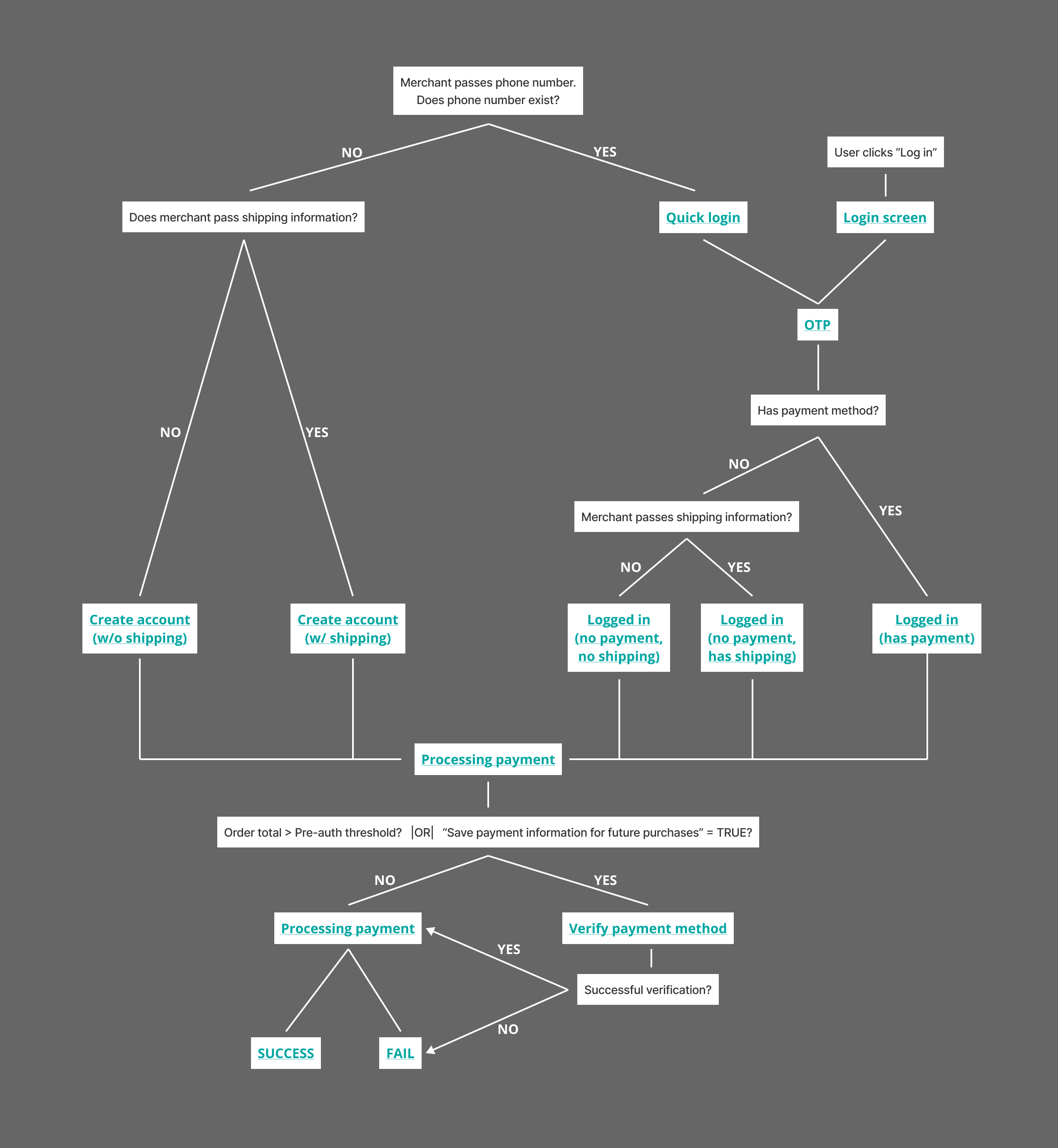
The checkout flow for customers paying through NEMS: accessible via merchant websites or by scanning a QR code from the mPOS app.
Both entry points led to the same flow: customers authenticated, selected a payment token, confirmed the amount, and received a receipt tied back to the Customer.
- Payment confirmation: amount, merchant name, and payment method selection before authorization
- Authentication: login and verification states with clear error recovery for declined or timed-out transactions
- Receipt flow: order confirmation delivered to the app with one-tap access to transaction detail
- Transaction history tie-in: checkout transactions appear immediately in the Customer with merchant name, amount, and order reference
- Error & edge states: insufficient funds, expired card, network timeout, and fraud hold screens with clear next steps
Key decision: Receipt delivery was tied to the Customer App transaction feed, not a standalone notification. Customers checking their balance after a payment saw it immediately in context, with no separate screen to dismiss.
The internal operations hub for RYVYL staff. A high-density tool covering every layer of the payment platform, from individual merchant accounts to infrastructure-level configuration.
The primary design challenge was scope. Each module had distinct user roles, workflows, and data density requirements. I focused on consistent navigation patterns and status-driven layouts that let admins move between modules without reorienting.
- Commission accounts: commission structures, payout tracking, and account-level overrides per merchant
- Transactions: real-time and historical ledger views with filters by merchant, amount, status, and flag type
- User management: internal staff accounts, role-based permissions, and access controls
- Sales processes: lead and onboarding pipeline management for the sales team
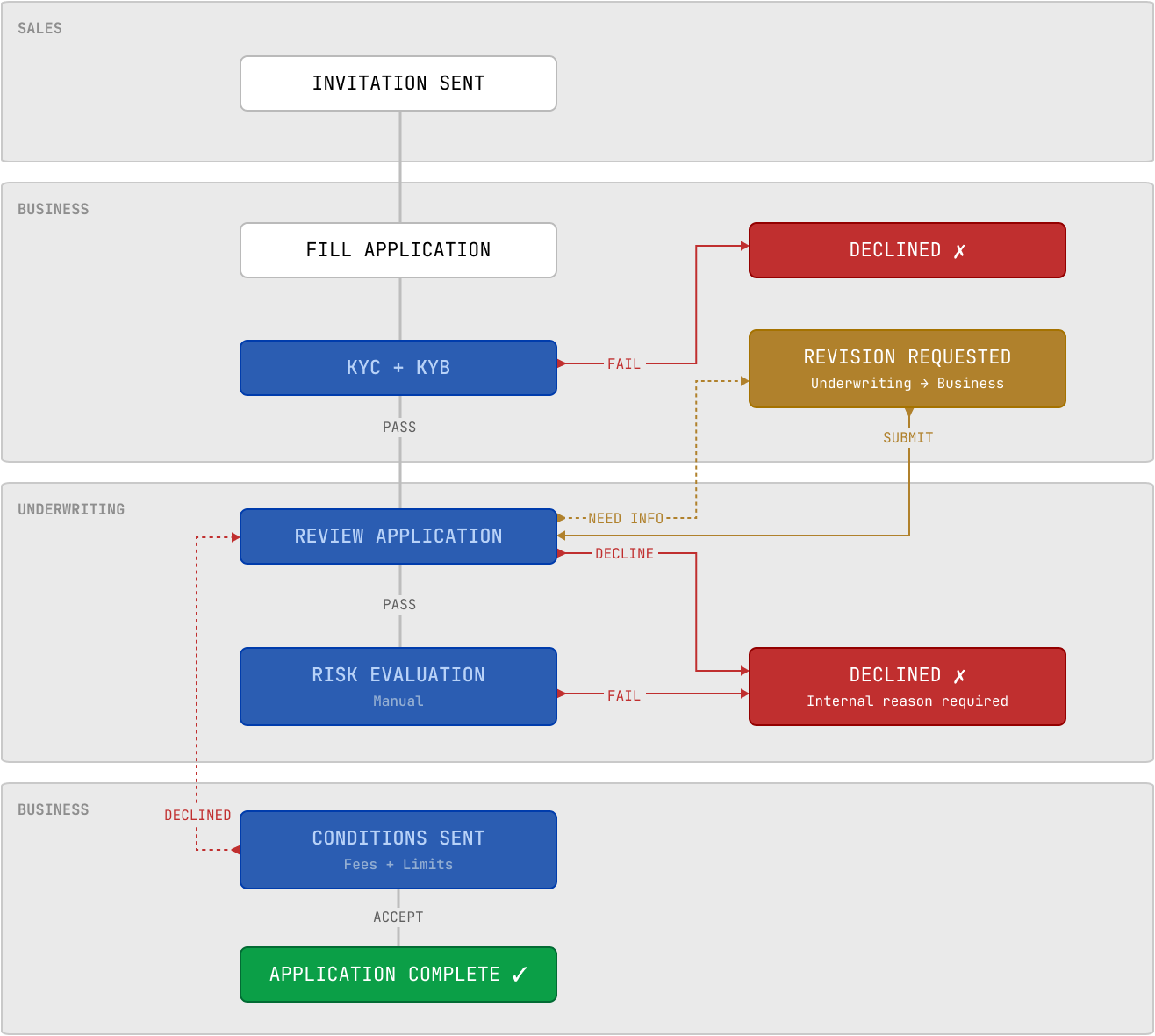
- Underwriting: KYC/KYB document review, risk scoring, and application approval workflow with audit trail
- Accounting: reconciliation views, settlement reports, and financial summaries across merchant accounts
- Disputes: chargeback queue, evidence upload, and resolution workflow with status tracking
- Payment gateways and load balancer: gateway configuration, routing rules, and load distribution controls
- Product settings: feature flags, fee schedules, and transaction limits configurable per merchant or globally
Outcomes & Results
Designing all five surfaces in parallel, with a visible cross-surface dependency map, was the decision that held the ecosystem together.
Learnings: Designing across an ecosystem requires explicit cross-surface coordination. Decisions that felt local (how a merchant configured a terminal, how a customer set up a card) had downstream effects two or three surfaces away. The earlier those dependencies were mapped, the less rework they caused.